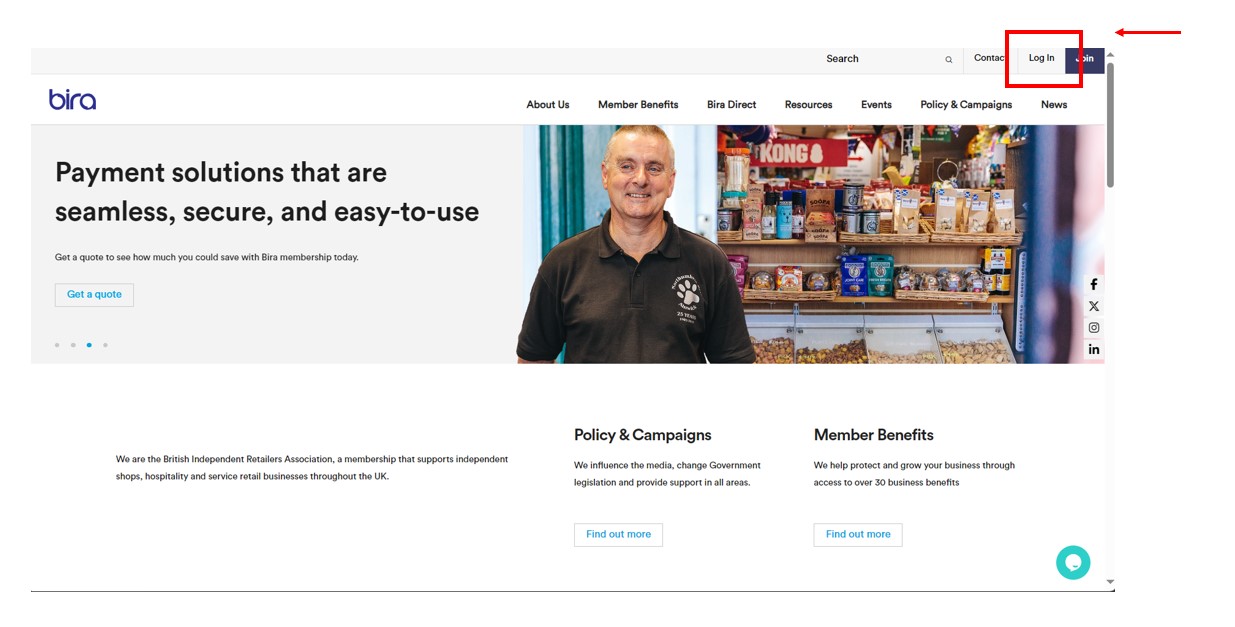
1. Log in to the website
Click 'Log in' button to log in to the website
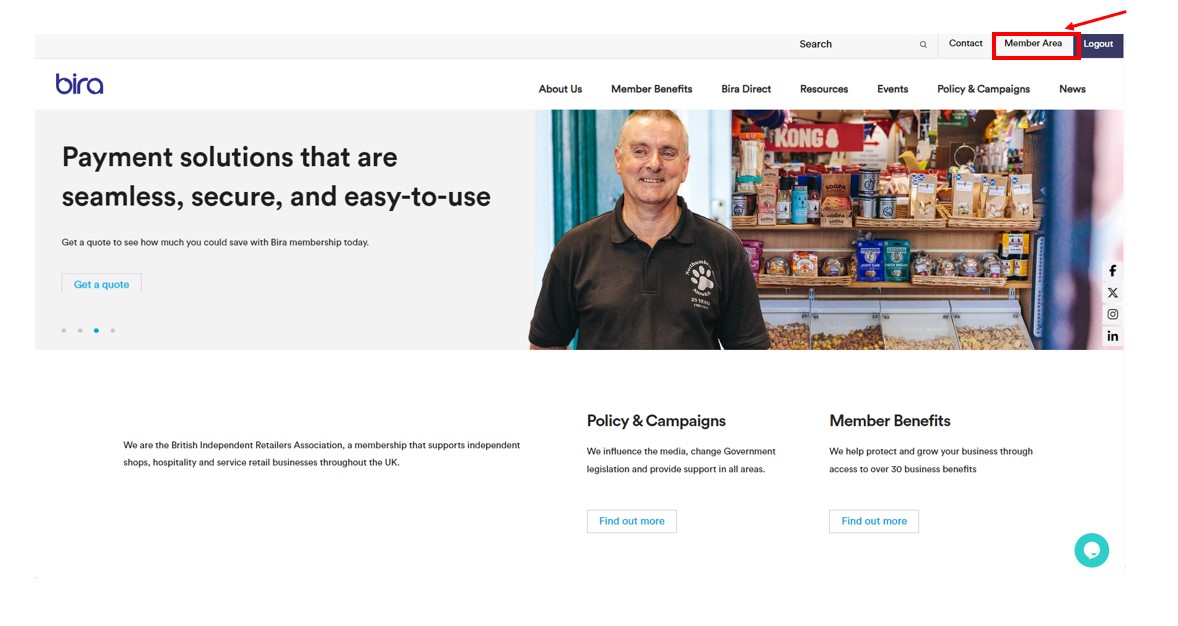
2. Access Member Area
Once logged in, navigate to the Member Area.
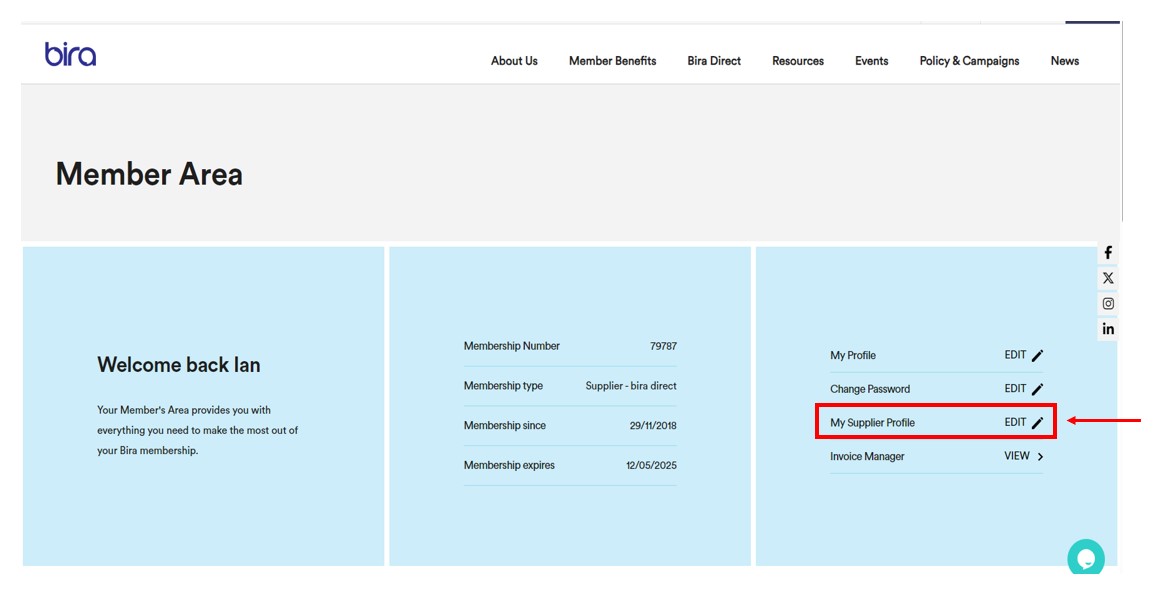
3. Navigate to supplier profile page
On your dashboard, please click 'Edit' My Supplier Profile.
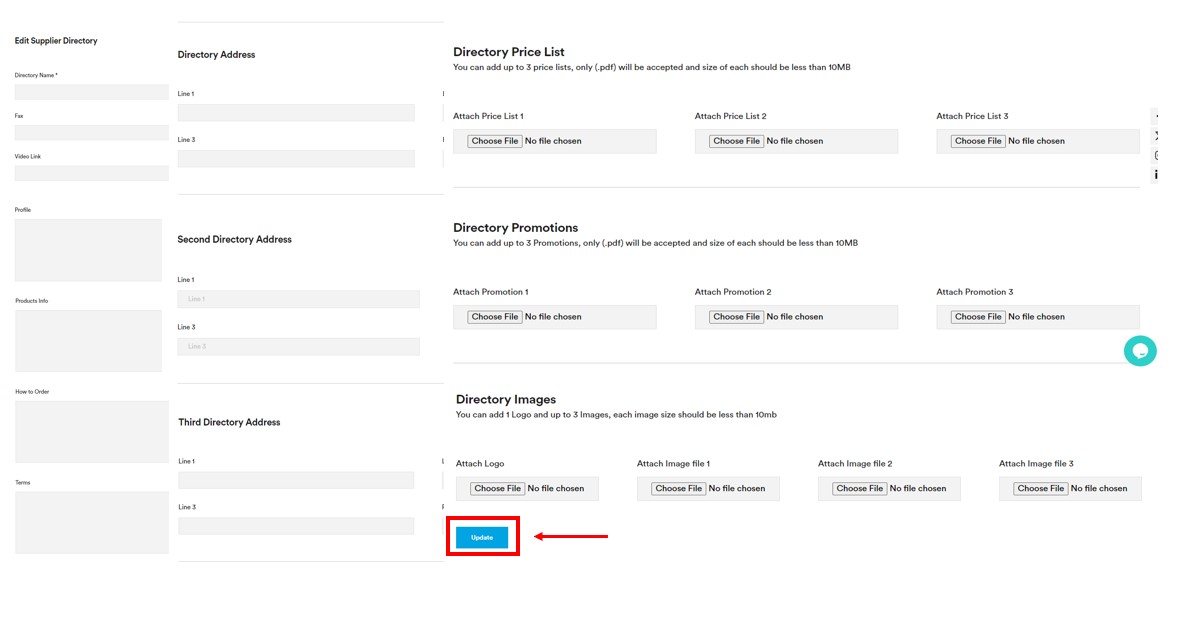
4. Edit your profile and click 'update'.
Edit your profile page, add logo, images and promotions, and once this is added, click 'Update'.
You can add up to 3 price lists (.pdf) only/ up to 3 promotions (pdf.) only, and 3 images, and the size of each file should be less than 10 MB.
PLEASE NOTE: it can take up to 2 working days to publish your changes.